01Problem
Managed platforms like Heroku are easy to use, but the bill grows with you and moving off them takes work. A plain VPS costs less, but setting one up safely means SSH hardening, a firewall, TLS, Docker and a deploy script, all of which then need patching.
EasyInfra does that setup for you. It runs on your own computer, so there's no hosted service in the middle. The server, the DNS records and the OpenTofu state live in your own accounts and folders, and you keep them if you stop using it.
02Getting started
Start with a server, or start with an app.
Provision a server
Create a server by itself and add apps to it later. This suits several small apps sharing one machine.
$ easyinfra server create web-1 \
    --provider linode --region us-east \
    --size g6-nanode-1 --os debian-13
$ easyinfra new ./api --server web-1
Deploy an app
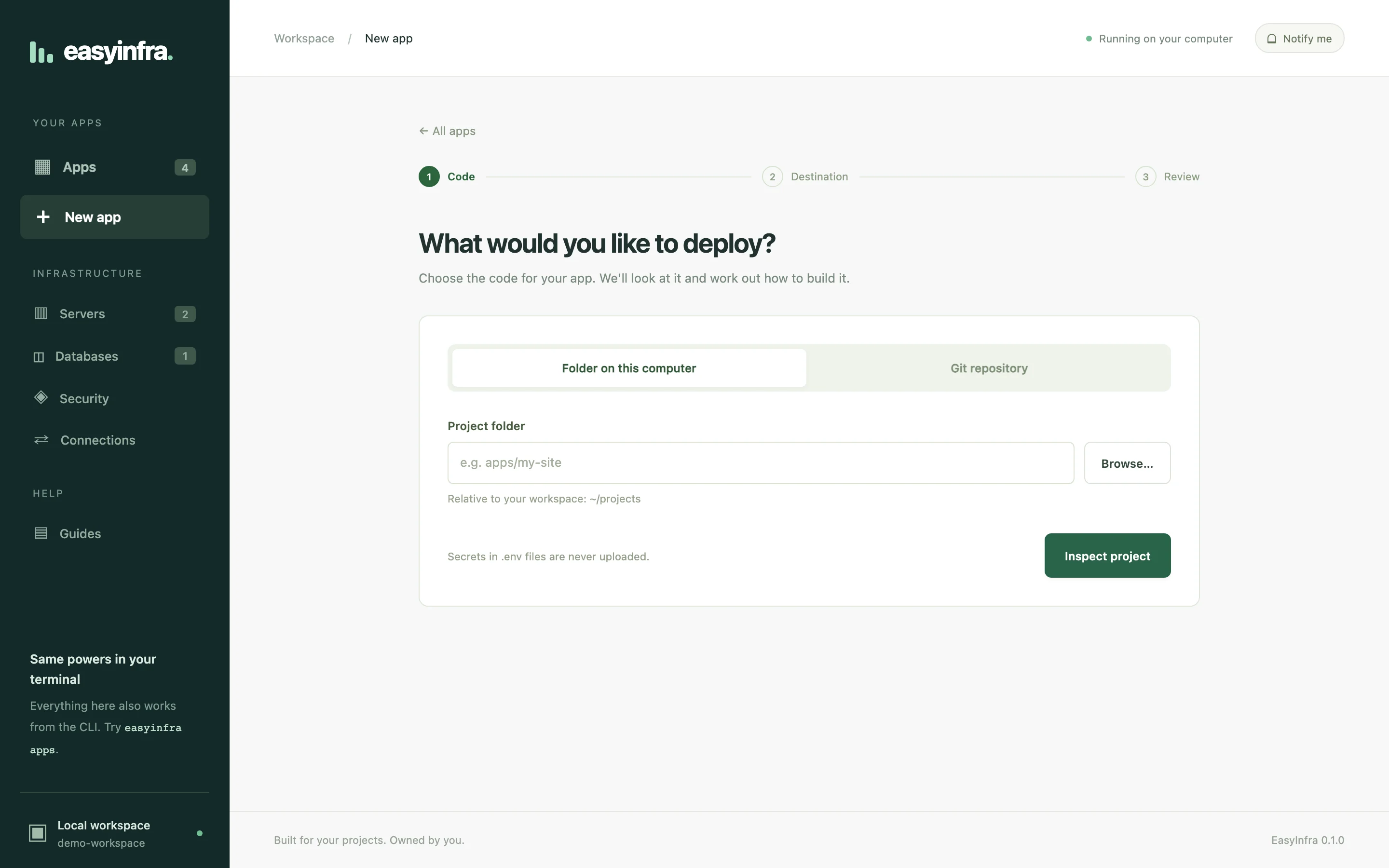
Point it at a folder or a Git repo. If the app has nowhere to run yet, EasyInfra plans a server for it and creates it once you approve.
$ easyinfra new ./storefront \
    --provider aws \
    --region us-east-1 --size t3.small
Both paths show an OpenTofu plan and its monthly cost before anything is created, and both work the same from the dashboard. Already have a server? Pass --existing-host and EasyInfra sets that machine up instead of creating one.
03Product
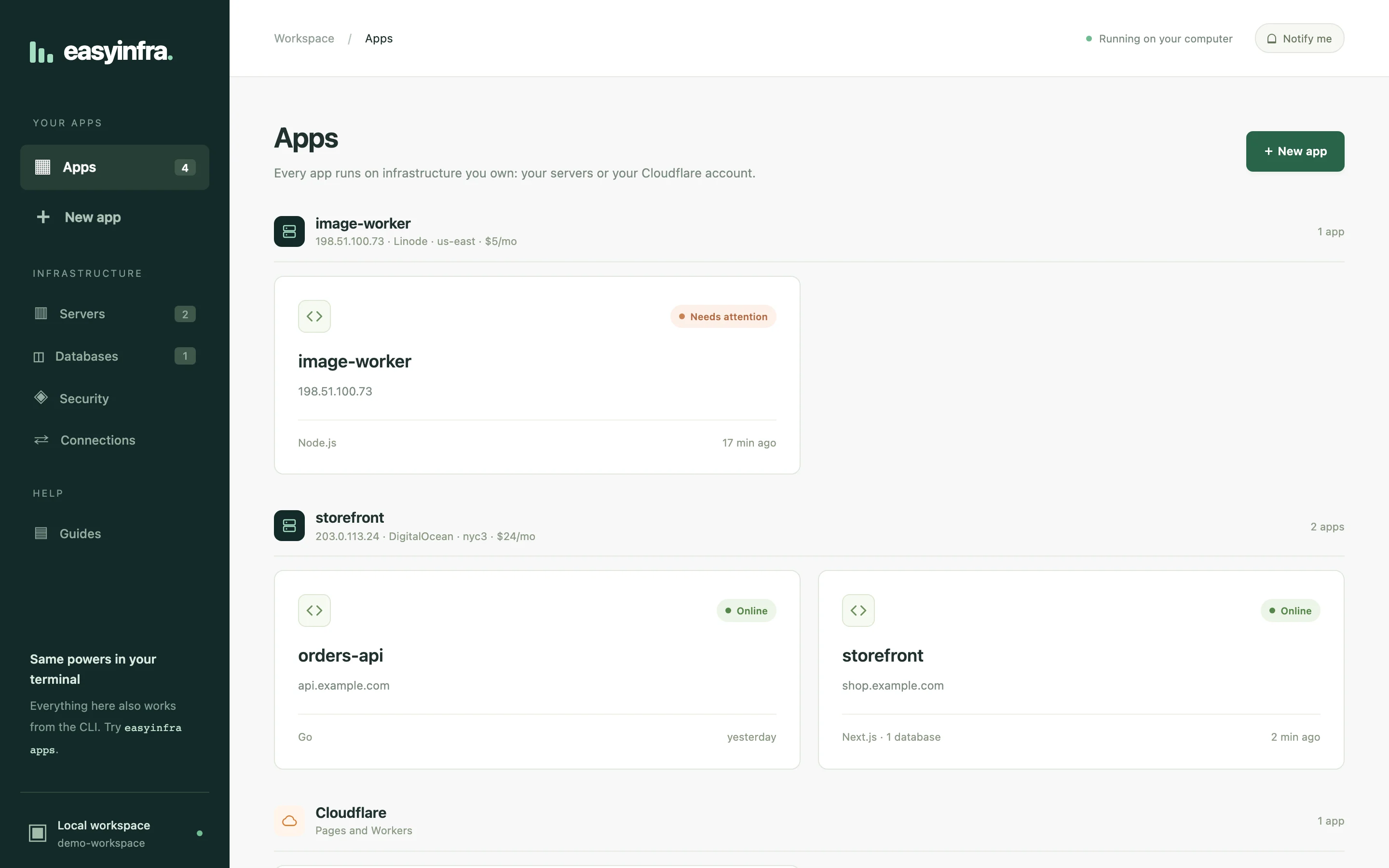
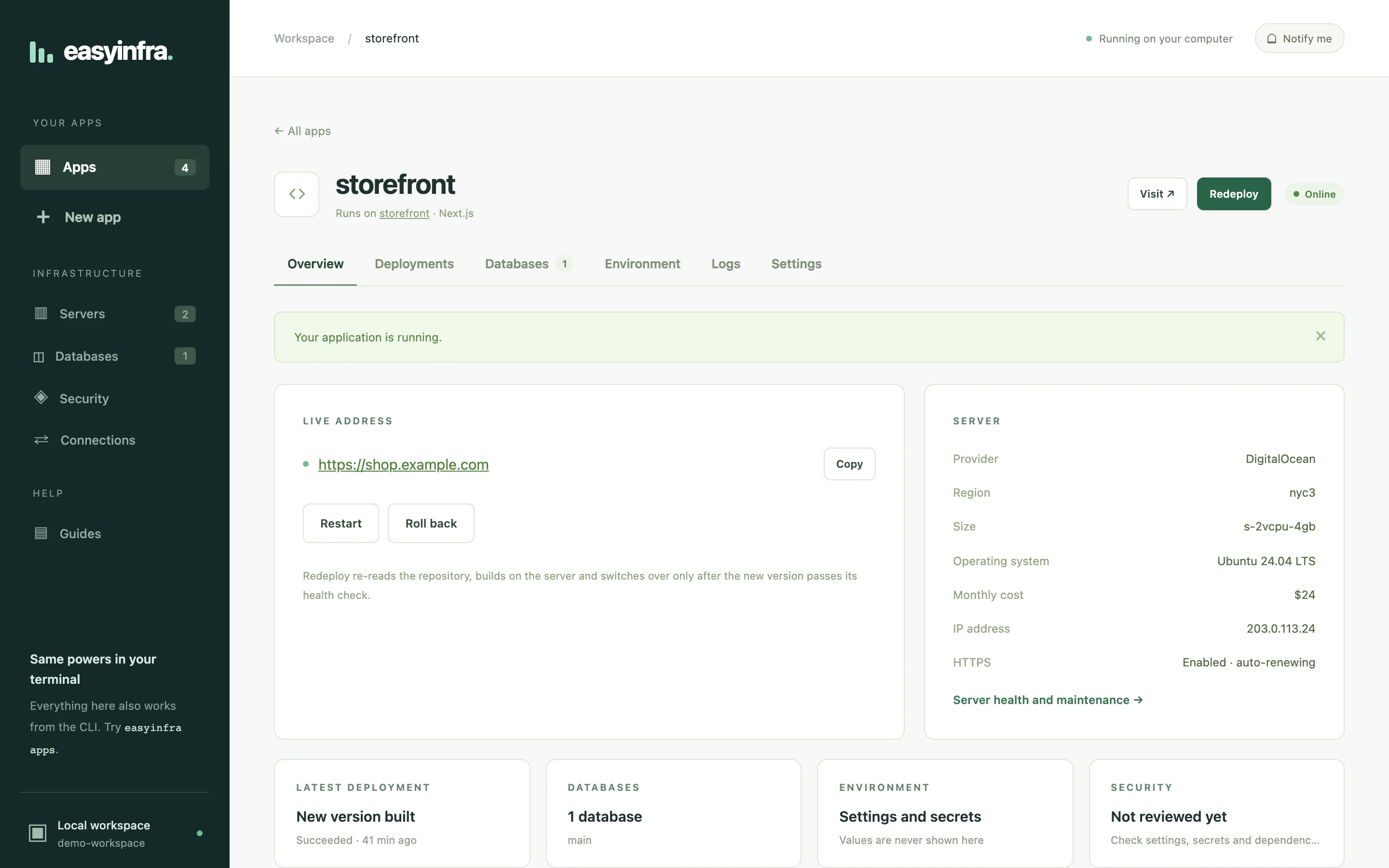
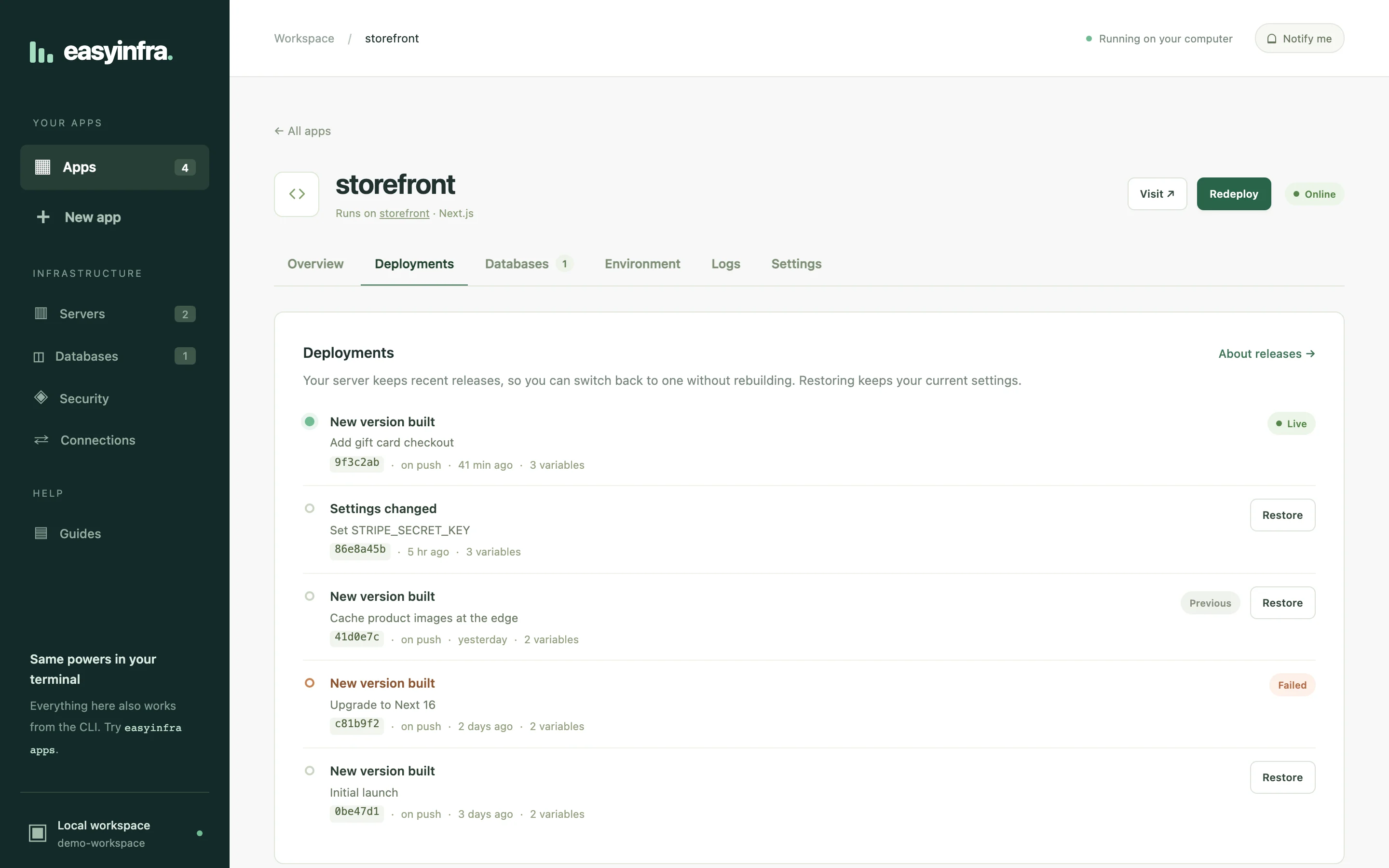
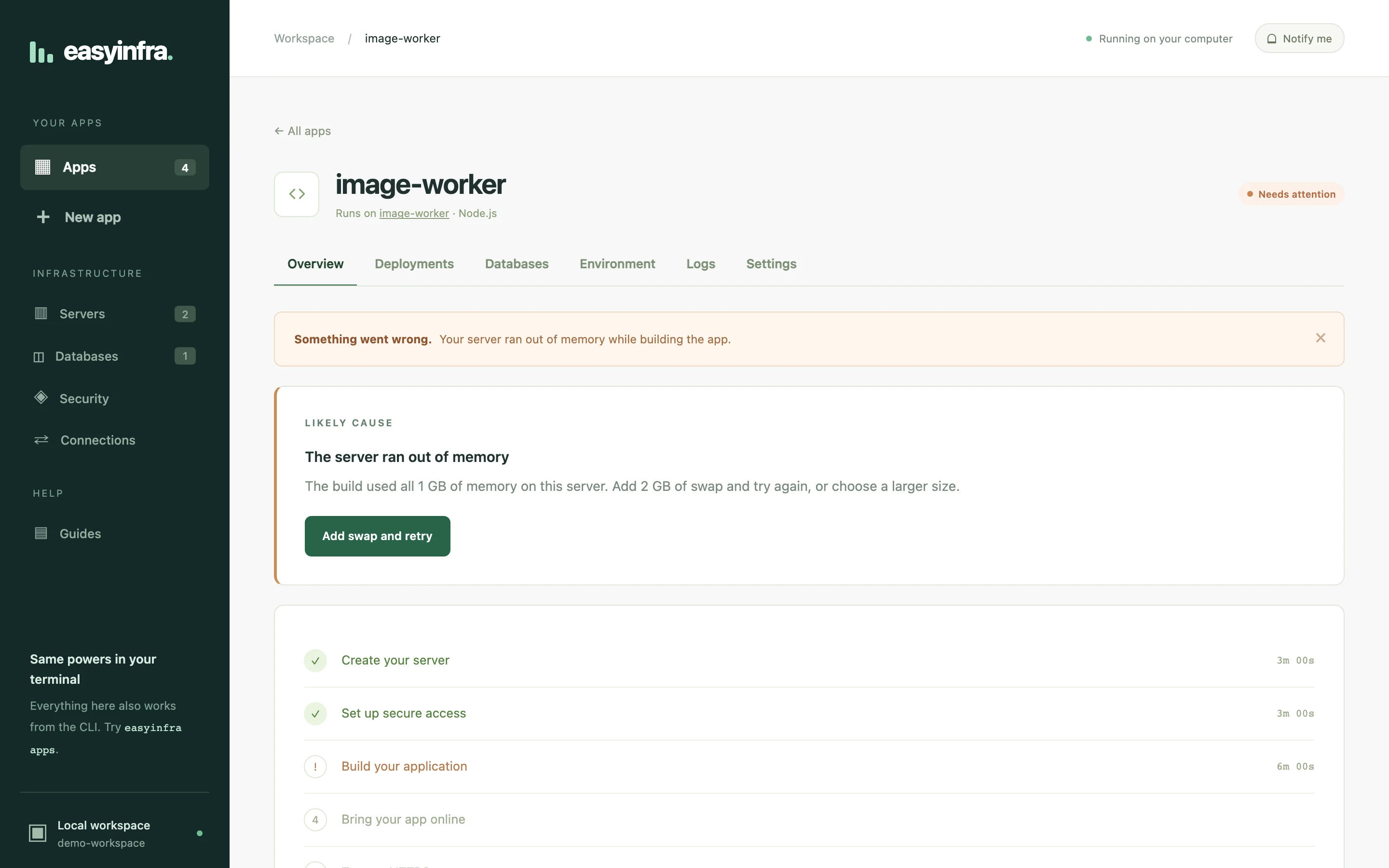
The dashboard, from a project folder to a live site.
04Support
The clouds, operating systems and app types it handles today.
- Clouds
- DigitalOcean, Linode and AWS, from the dashboard or the CLI. Any server you already run, if it has a supported OS.
- Cloudflare
- Static sites go to Pages and Workers go to Workers, with D1 for their databases. No server needed.
- Apps
- Dockerfile, Next.js, Vite, Create React App, Node.js, Go and plain HTML. EasyInfra picks the build from
package.json,go.mod,index.htmlor aDockerfile. - Databases
- PostgreSQL or MySQL in a container on the app's server, or as a managed database in your DigitalOcean or Linode account.
- Your computer
- macOS or Linux, with OpenTofu 1.8+ and OpenSSH.
| System | DigitalOcean | Linode | AWS | Supported until |
|---|---|---|---|---|
| Ubuntu 24.04 LTS default | ✓ | ✓ | ✓ | May 2029 |
| Ubuntu 26.04 LTS | ✓ | ✓ | – | May 2031 |
| Debian 12 | – | ✓ | ✓ | Jun 2028 |
| Debian 13 | ✓ | ✓ | ✓ | Jun 2030 |
| Rocky Linux 9 | ✓ | ✓ | – | May 2032 |
| Rocky Linux 10 | ✓ | ✓ | – | May 2035 |
| AlmaLinux 9 | ✓ | ✓ | – | May 2032 |
| AlmaLinux 10 | ✓ | ✓ | – | May 2035 |
Ubuntu and Debian servers use apt, UFW and unattended-upgrades. Rocky Linux and AlmaLinux use dnf, firewalld and dnf-automatic, with SELinux left in enforcing mode.
05Architecture
The engine runs on your computer. Choose a flow to follow it through the system.
06Challenges
Zero-downtime deploys on one server
A $5 server has no load balancer in front of it. Restarting the app to deploy takes the site down, and a broken release keeps it down.
The new version starts beside the old one on a spare port. nginx switches to it only after it passes a health check, and the old container is kept for rollback. Run each scenario below.
Admin access without public SSH
An open SSH port gets scanned within minutes of a server coming up. Asking people to install and configure a VPN first would put most of them off.
I put a WireGuard client inside the dashboard. It runs in userspace, so it needs no root access and nothing else installed. Port 22 stays closed, and SSH, deploys, logs and database access all go through the tunnel.
Untrusted build scripts next to secrets
Building a project runs its install scripts, and any one of them could read a Cloudflare token sitting on the same machine.
The build and the deploy run in separate sandboxes. The build runs the project's code and never sees the token. The deploy has the token but only runs a pinned copy of wrangler on the build output.
① Build sandbox
- ✓npm / pnpm / yarn / bun install
- ✓npm run build (project code)
- ✕Cloudflare API token
- ✕home folder, keychain, sockets
② Deploy sandbox
- ✓CLOUDFLARE_API_TOKEN
- ✓wrangler deploy
- ✕any project script
- ✕paths outside the workspace
07Results
What you get once an app is deployed.
- No downtimeA new version gets traffic only once it passes its health check. If it fails, the live site stays as it was.
- Port 22 closedAdmin access goes through WireGuard. The only open ports are 80, 443 and the tunnel.
- One-click rollbackThe previous container is kept, so going back restarts it without a rebuild.
- Scales outOn DigitalOcean and Linode, one app can run on several servers behind a load balancer, so losing a server doesn't take it offline.
- Finds known CVEsA security review checks server packages, app images and lockfiles, and puts actively exploited bugs first.
- Nothing to migrateThe server, DNS and OpenTofu state are in your accounts. Stop using EasyInfra and the app keeps running.
- Stack
- GoJavaScriptOpenTofuWireGuardDockernginxCloudflareDigitalOceanLinodeAWS